
How to use bluemarble for projection drawing on wplace?
Recently, Wplace has exploded in popularity on the foreign web. Notably, the political slogans of the city of Shenyang are exceptionally aggressive and draw attention. Next, I will introduce how to use bluemarble for projection drawing on wplace.
It is mainly divided into two parts: installation and usage.
Installation Method:
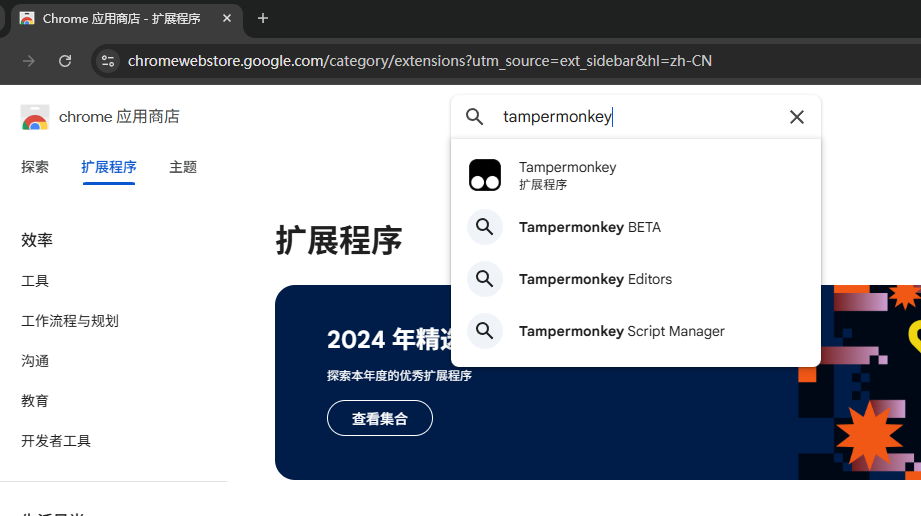
- Install the “tampermonkey” plugin
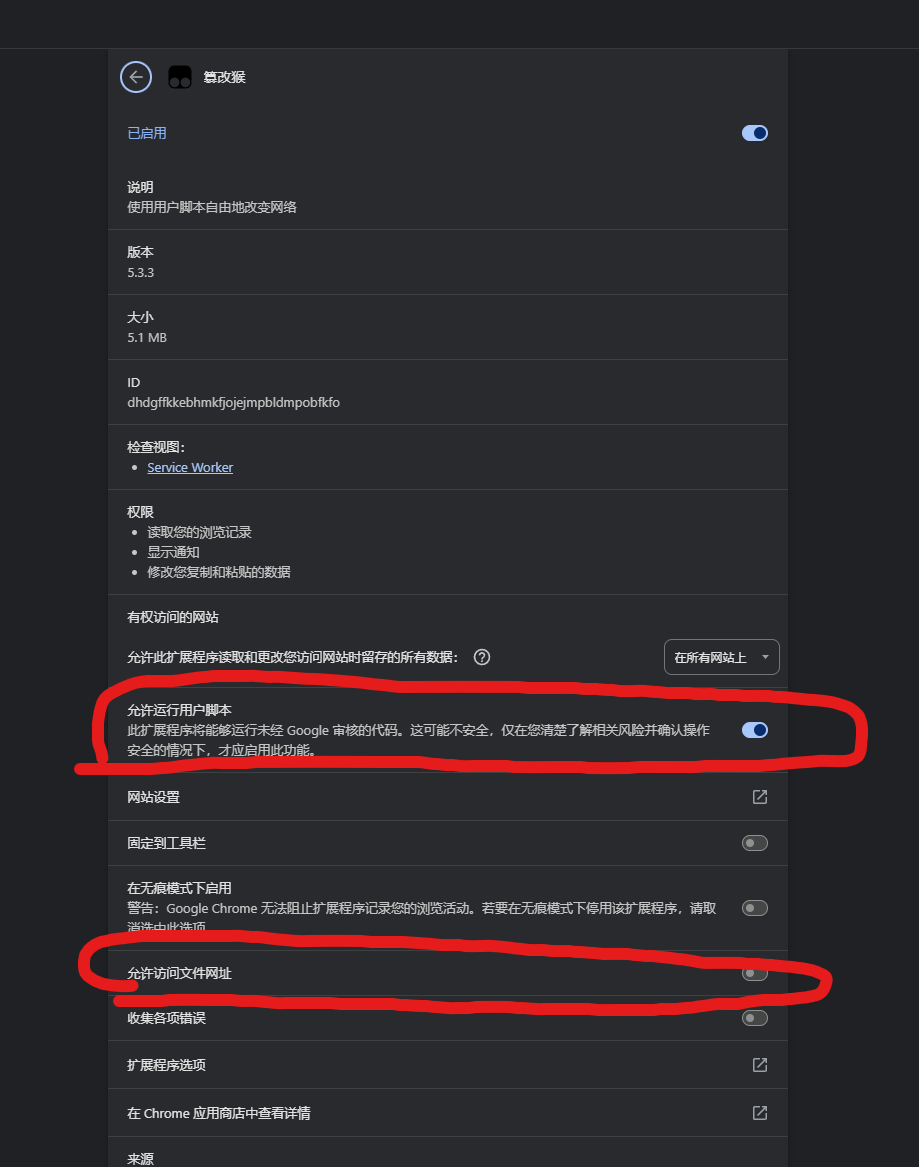
 2. Grant “tampermonkey” plugin js and file url permissions
 3. Download the js file (right-click on the link below and select “Save Link As”)
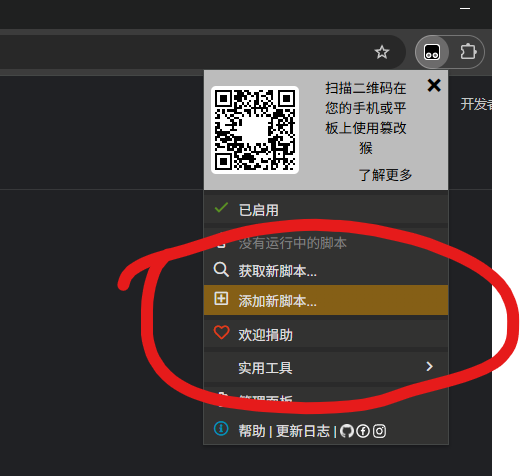
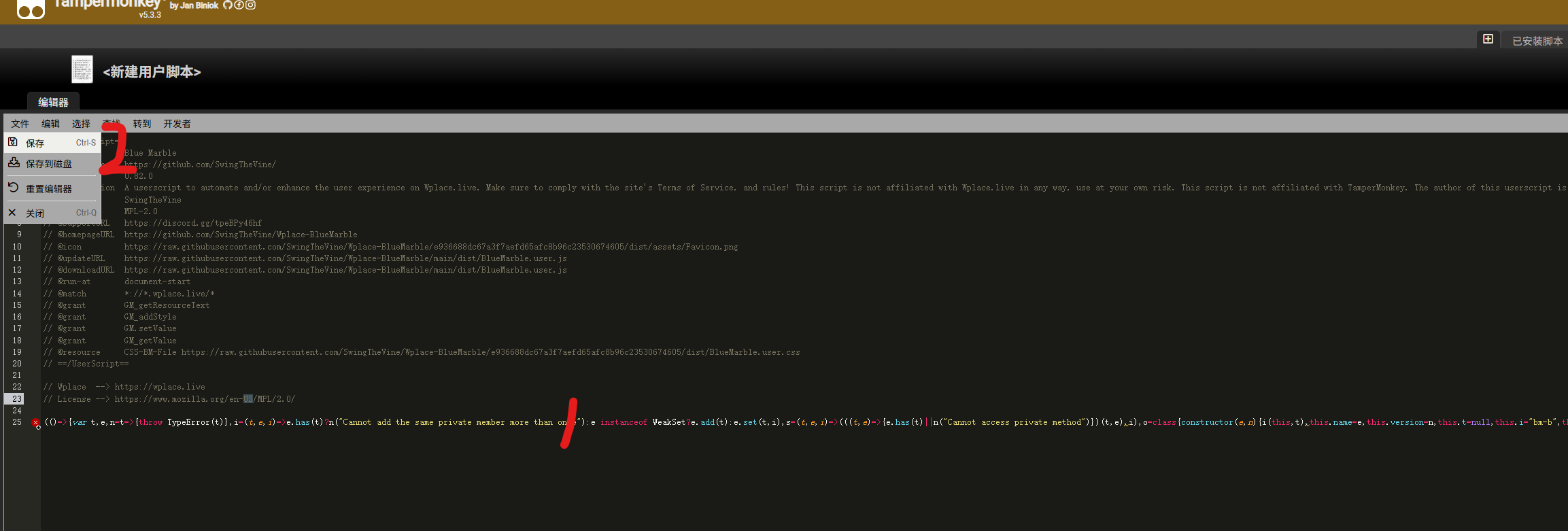
- Create a new script in “tampermonkey”, paste the downloaded file into the box, and save it
- Close the browser and open wplace. You should see bluemarble displayed correctly.
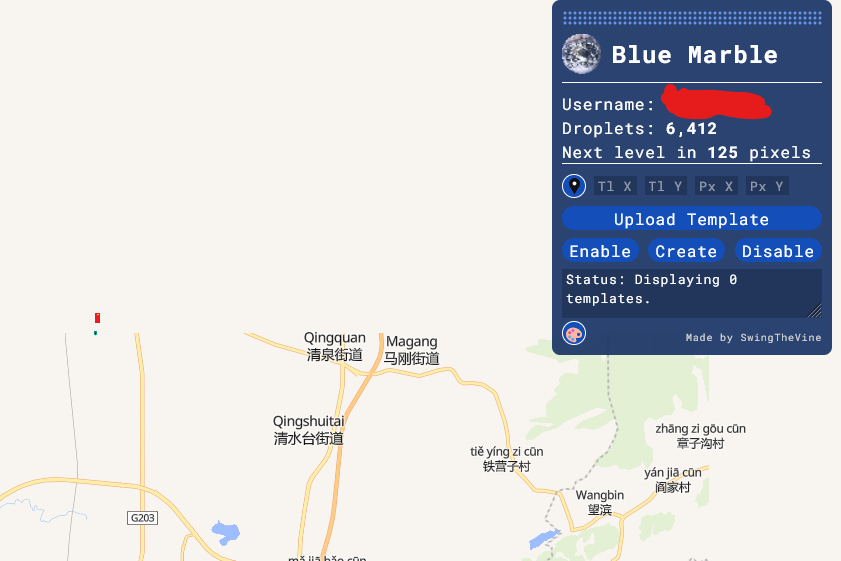
Usage Method:
- Click “upload template” to upload an image
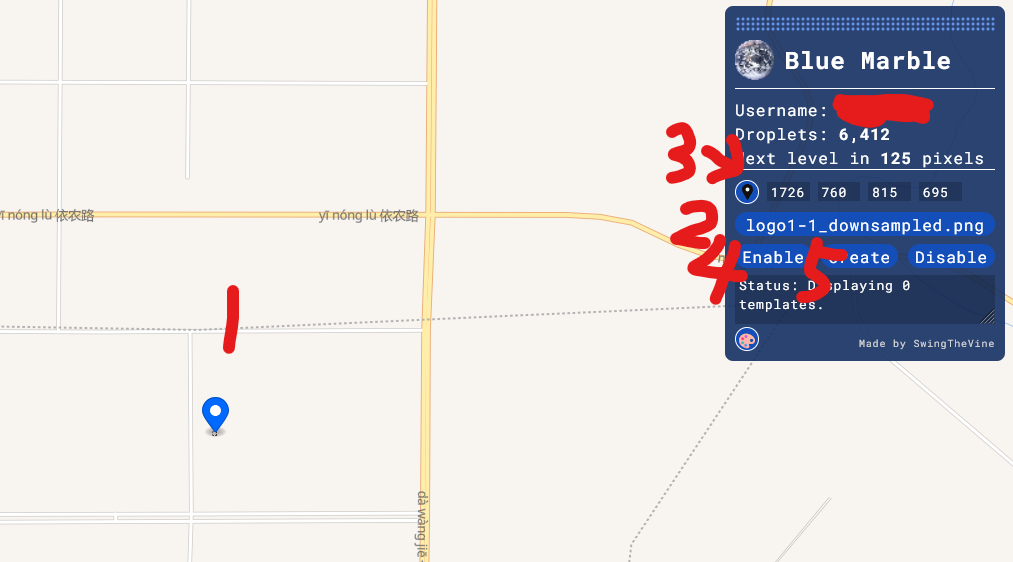
- Select the coordinates on the map where you want to draw (the upper left corner is selected)
- After selecting the coordinates, click the small location icon inside the blue card
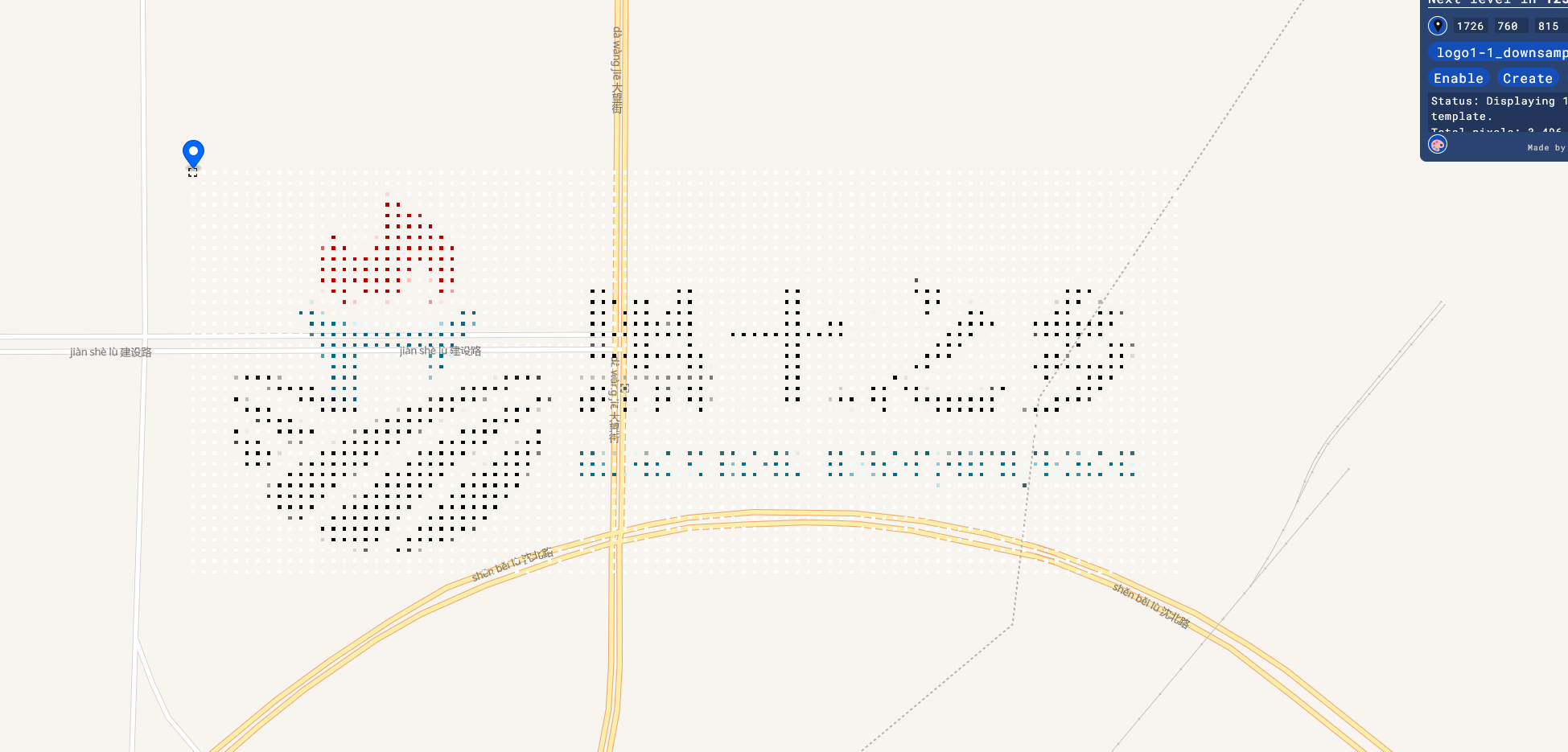
- Click enable, then click create. Wait a few seconds, and you should see the projection.
If you think the article is good, please forward and share it.
If you have good ideas, please contribute!